Connect the systems
you already run.

Wellzesta connects your community’s systems, so records sync, requests travel both ways, and one sign-in opens the rest.

The Problem

Your platforms do not talk to each other

Today, every system in your community holds part of a resident’s day, and none of them share it. The census lives in the EHR, the meal plan in the POS, the work order in maintenance. Between them sit your staff, retyping, reconciling and stressing.

Nobody planned this. It snowballed one app at a time. Integrations prove to be the way to take the walls down.

The resident hits a wall

One password for dining, another for maintenance, a third for the portal. Most give up and call the front desk.

Staff become the integration

Admissions types the same move-in four times. A discharge in one system leaves an open account in three others.

You inherit the gaps

Each new vendor adds a roster to keep in step, and the questions land on your desk rather than theirs.

The Solution

Connecting your systems four ways

Every listing below fits one of the following categories. These categories are shown on each card, so you know what we built, not just which department it serves.

Sign-in

One Wellzesta sign-in opens the other systems a resident uses. No second password to remember, and no reset call to the front desk.

Data in

Census, sales segments, and menus flow into Wellzesta. Somebody enters them once, in the system that owns them.

Two-way

A resident files a request in Wellzesta. It opens in your work-order system. The status comes back to the resident.

Data out

Attendance and engagement export to your warehouse, so the numbers sit beside everything else you measure.

One credential opens every partner system

Think of the Wellzesta sign-in the way a resident thinks of the card in their wallet. They present it, and the place they walked into accepts it. FullCount accepts it today. Other platforms are building on it now. Every partner who joins the marketplace accepts it too. That’s the point of our marketplace.

Each system keeps its own record

Wellzesta keeps the resident roster, the credential, and the engagement history. Your EHR keeps the chart, Yardi keeps the ledger, the POS keeps the balance. We read and write against them. We do not replace them.

What connects today

Each system we connect, what it covers, and where the connection stands today.
Live In development Scoped
MatrixCare
In development
Data in EHR & census · by ResMed

Move-ins reach the app on their own. Nobody re-keys a resident, and a move-out closes their access.

Welcome Home
Scoped
Data in EHR & census · sales CRM

Depositors and waitlist families get an app account before they move in, from the segments your sales team already keeps.

TheWorxHub by Brightly
Live
Two-way Maintenance & operations · TheWorxHub

A resident reports a leaky faucet in the app. It lands in your maintenance queue, and they watch it get fixed.

Yardi
Scoped
Two-way Maintenance & operations · Yardi Senior Living

Service requests reach the Yardi queue your team already works from, and residents see the status. Billing stays in RentCafé.

FullCount
Live
Sign-in Dining & POS

Residents reach dining on the sign-in they already use. No second password, and no front-desk reset.

eMenuCHOICE
Live
Data in Dining & POS

The kitchen publishes once. The menu reaches the app, the kiosks, and the signage.
MealSuite
In development
Sign-in Dining & POS

Residents open MealSuite from Wellzesta and are already signed in. No second password, no separate list of accounts to keep current.

Cardwatch
Live
Sign-in Dining & POS

Residents will browse and order from local dining partners inside Wellzesta, on the sign-in they already hold.
Volante
In development
Data in Dining & POS

The menu feed is being built now. Communities use the Wellzesta dining module until it lands.

Microsoft 365
Live
Sign-in Identity & data · Entra ID, SharePoint

Staff sign in with the Microsoft account they already use. Turn that account off and Wellzesta access ends with it.

Power BI Microsoft Fabric
In development
Data out Identity & data · also Looker, Tableau

Your engagement numbers land in the reporting tools your team already uses, on a schedule you set.

CallCandid
In development
Two-way Workforce · formerly MemoMate

Voice AI handles applicant screening, surveys, and resident calls. It stays off until you approve what it can see, in writing.

PointClickCare Live

PCC is where a resident enters your community. Wellzesta reads that record, so nobody types the resident twice.

Enter once, reach everywhere

A resident added in PCC arrives in Wellzesta within seconds, ready for your team to approve. Later changes to their core details follow.

PCC stays the source of truth

Synced fields are refreshed from PCC, so a correction made there carries through.

Keep clinical data in the EHR

Only demographics and contact details move. Health records, billing, and activity data stay out.

Type
Data in · resident demographics
Direction
One-way, from PCC into Wellzesta
Timing
Records arrive within seconds of a change in PCC. A member of your team reviews and approves new accounts.
Scope
Name, gender, birthday, home and cell phone, and unit, floor, and room. Marital status, maiden name, and religious affiliation are not updated automatically. No clinical, billing, or engagement data.
After import
Staff assign each resident’s user category, which sets their level of care and the content they see.
Archived or deleted in PCC
The Wellzesta profile stays and is managed manually.

How PCC is organized

A PointClickCare system holds organizations, and each organization holds its facilities. PointClickCare System Organization 1 Organization 2 Facility 1-1 Facility 1-2 Facility 2-1 Facility 2-2
TELS Live

Residents submit a maintenance request in Wellzesta, and it goes to your maintenance team’s TELS queue as a work order, with no phone call and no rekeying. As your team works it, the status comes back to Wellzesta so the resident can follow along.

Request once, track it in the app

The request form residents already use sends the work order to TELS. TELS sends back its status (open, in progress, completed, or cancelled), and residents see it in Wellzesta.

Full location, no resident name

The work order carries the resident’s mailbox, neighborhood, and address from Wellzesta. It never carries their name, because TELS requires work orders without resident identifying information.

Each campus stays separate

Each community routes to one TELS facility, and each facility belongs to only one community. Mapping services to TELS categories is optional.

Status
Live.
Type
Two-way · maintenance requests
Direction
Requests go from Wellzesta into TELS. Work order statuses (open, in progress, completed, cancelled) come back to Wellzesta. Enabled per community.
Timing
Requests send on submit. Wellzesta refreshes the status of any work order last checked more than 10 minutes ago.
Scope
The resident’s free-text details, the service and subservice title, permission to enter (yes or no), and the location. The resident’s name is not sent.
Location
Required. Mailbox, neighborhood, and address fields pass from Wellzesta to TELS for staff-verified location mapping.
Category mapping
Optional. Work orders can be created without a category ID. Mappings are validated when you save the configuration in Admin, not as a go-live requirement.
Multi-campus
Each community routes to one TELS facility by facility ID. A facility can belong to only one community.
Not included
Work orders opened in TELS, by phone or by staff, don’t appear in Wellzesta. Residents see only the requests they made in the app, and cancelling happens in TELS.
Before go-live
Admin pulls your facility list directly from TELS, and you select one facility for each community.

Common questions we hear from your peers

Answered here, so the technical call starts further along.

Does Wellzesta try to become our system of record?
No. Wellzesta keeps the resident roster, the credential, and the engagement history, because those are what the app needs to run. Your EHR keeps the clinical chart, Yardi keeps the ledger, TheWorxHub keeps the work order. We read and write against them and leave them in charge of their own data.
Which direction does data flow?
Every listing states it. Census and CRM feeds move in one direction, into Wellzesta. Maintenance integrations run both ways: the request goes out, the status comes back. Analytics exports move out. Nothing writes to a clinical chart.
Real time, or an overnight batch?
For PointClickCare, on save. Admissions clicks save and the sync fires in seconds. It is not a 2 a.m. job. Menu and analytics feeds run on a schedule you set. Each listing states its timing.
Who defines the field mapping, and who fixes it when it breaks?
We define it with you during implementation and write it down. After go-live it belongs to a named person on our team, not a queue. When a field changes on your side and a mapping breaks, we tell you which field.
We run several campuses under one EHR account. Must the mapping match?
Yes, and this surprises people more than anything else on this page. If one campus maps room to the address field, every campus on that account maps room to the address field. We walk your campus leads through it before anyone goes live. You pay far more to retrofit it after three campuses have already chosen their own way.
How are discharges, deceased residents, and temporary stays handled?
Status changes travel with the record. A discharge closes app access. Whether a temporary stay updates the existing record or creates a new one depends on your EHR configuration, so we ask during mapping rather than assume. The same checklist covers deceased-resident handling.
What does one login see across campuses?
Scope follows the role. A campus role sees its campus. A corporate role sees the roll-up and pushes content down to every campus. Analytics exports carry the campus dimension, so your dashboards can compare one against another.
Who owns the integration when it breaks?
We do, and we say so before you ask. Our developers work in-house. We subcontract no integration code. When the fault sits with a partner, we open the ticket with them rather than hand you their support number. Where a partner blocks us, the listing names it. Volante is the current example.
Is single sign-on all or nothing?
No. Staff and residents authenticate through separate systems. Staff SSO runs against your Entra ID tenant. Resident identity comes from the EHR-synced record, as an email or a PIN, and never touches your directory. Turn on staff SSO without changing how residents sign in.
What do firewall rules need to allow?
Outbound HTTPS to a documented list of destinations. No inbound rules, no VPN tunnel. Ask for the destination and protocol list, and your network team will have it before the first blocked request.
Can we see the roadmap?
Yes. Ask on the technical call and we send the integration roadmap with dates and current status. Admin-role granularity sits on it: Wellzesta ships two levels today, admin and user, and handles department-scoped restrictions with feature flags per account rather than a role hierarchy.
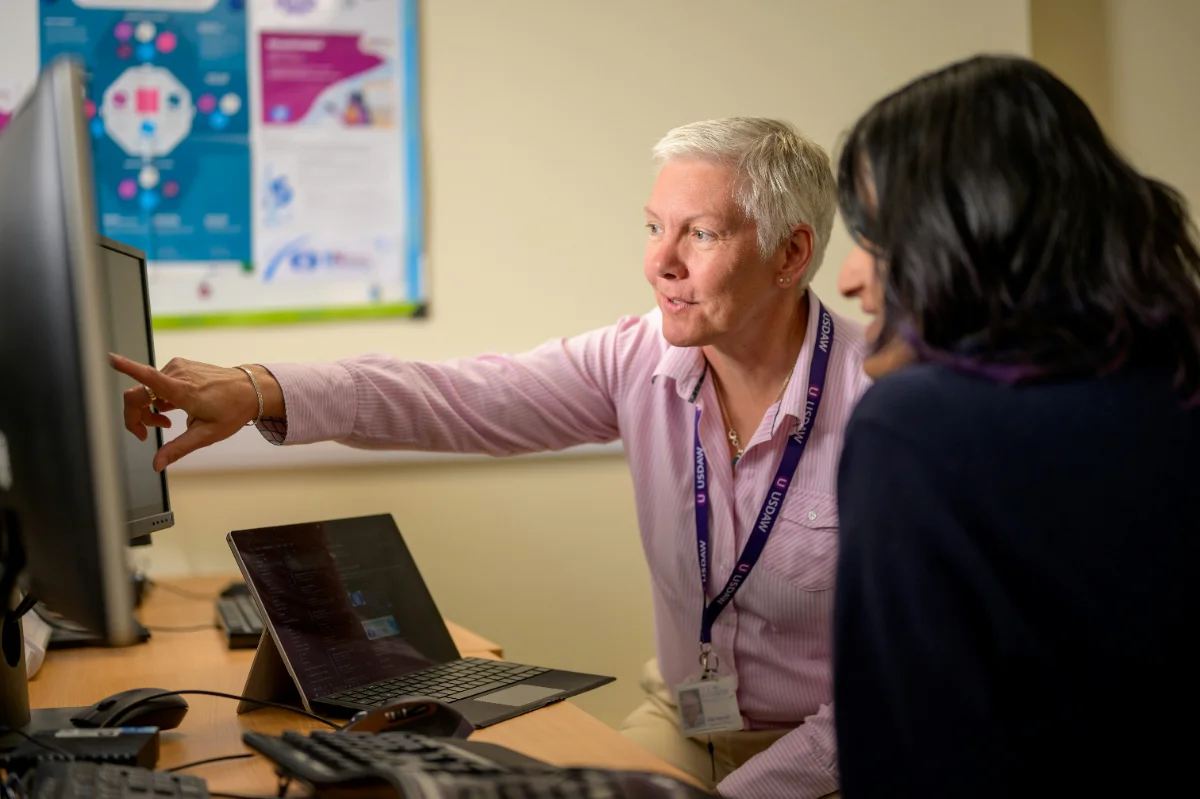
Wellzesta and community team reviewing integrations together

Learn what connects to the systems you already run.

Bring the list of systems you run today. We will tell you plainly what connects now, what is in development, and what we have not built.